Notifications on Android
The main reason to install the Android app is notifications that arrive right away, even when the app is closed, the screen is off, or the phone has been sitting untouched.
How a notification arrives
Section titled “How a notification arrives”The Hamkar server sends each notification at high priority through Google’s Firebase Cloud Messaging. Google Play services wake the app, and the app shows the notification with sound, vibration and a banner at the top of the screen. On a phone without Google Play services, notifications arrive through the 15-minute check described below.
To keep notifications from being delayed, go through The phone check screen once.
What it looks like
Section titled “What it looks like”- Title: the team name and what happened, such as «استودیو نقش · نظر جدید» (Naghsh Studio · New comment).
- Text: who did it and the details; for an expense, its title and amount. Pull the notification down to read the whole text.
- On the lock screen: if your phone hides sensitive content on the lock screen, you only see «همکار» and «رویداد تازه در تیم شما» (new event in your team).
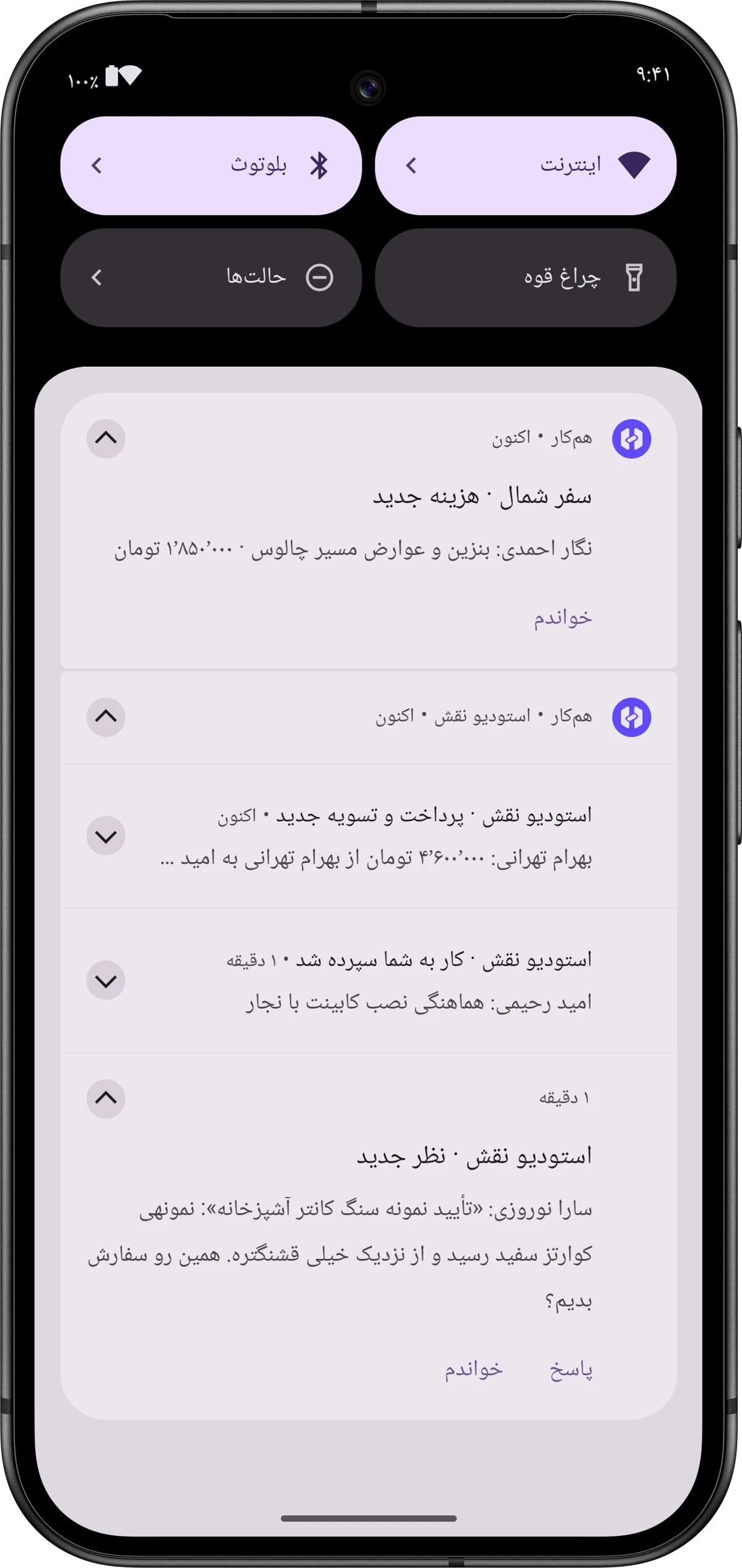
Each team’s notifications together
Section titled “Each team’s notifications together”Notifications are grouped under their team’s name. If you’re in both Naghsh Studio and the North trip team, their news doesn’t get mixed up in the shade. Tap a team’s group header to open Hamkar’s notification inbox.
Tapping a notification
Section titled “Tapping a notification”Tap a notification and the app opens on exactly that item: the task window, Expense detailsجزئیات هزینه, Settlement detailsجزئیات تسویه, or the deposit or withdrawal details. The notification is also marked as read on the server. This works the same whether the app was open or closed.
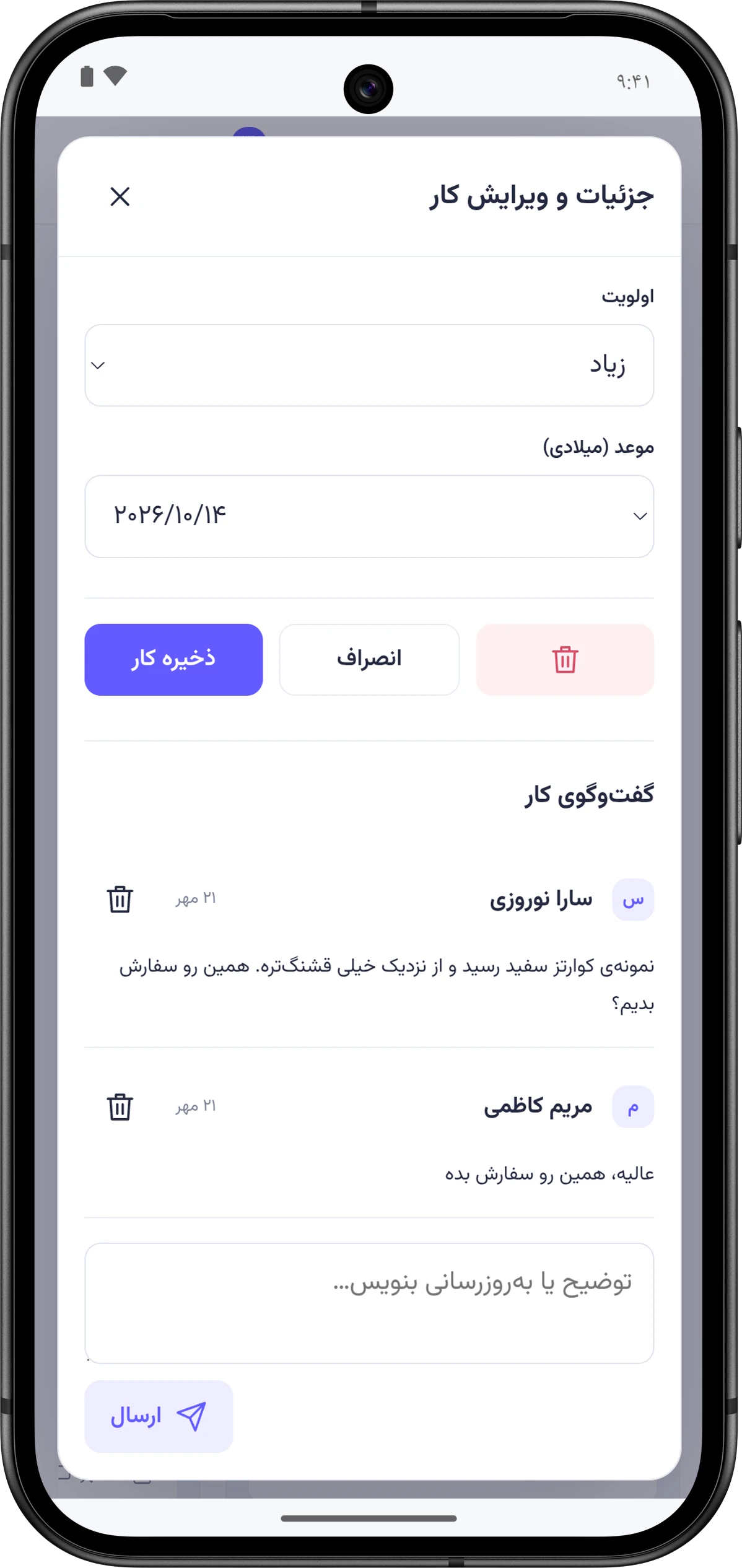
Reply without opening the app
Section titled “Reply without opening the app”Task notifications have a Replyپاسخ button: task assigned to you, new task, task changed, task completed, and new comment.
-
Tap Replyپاسخ.
-
Type your answer in the box (“پاسخ شما…”) and send it.
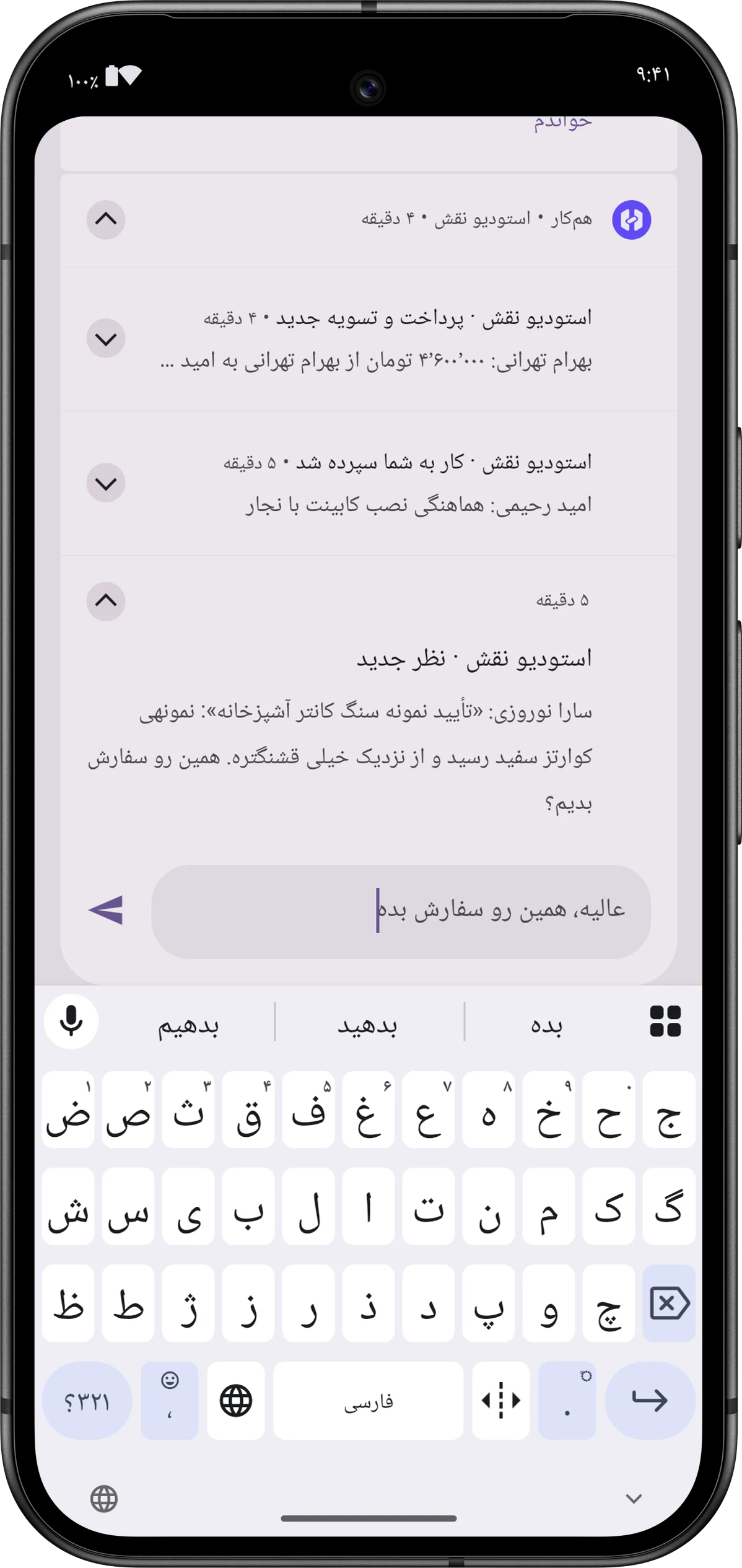
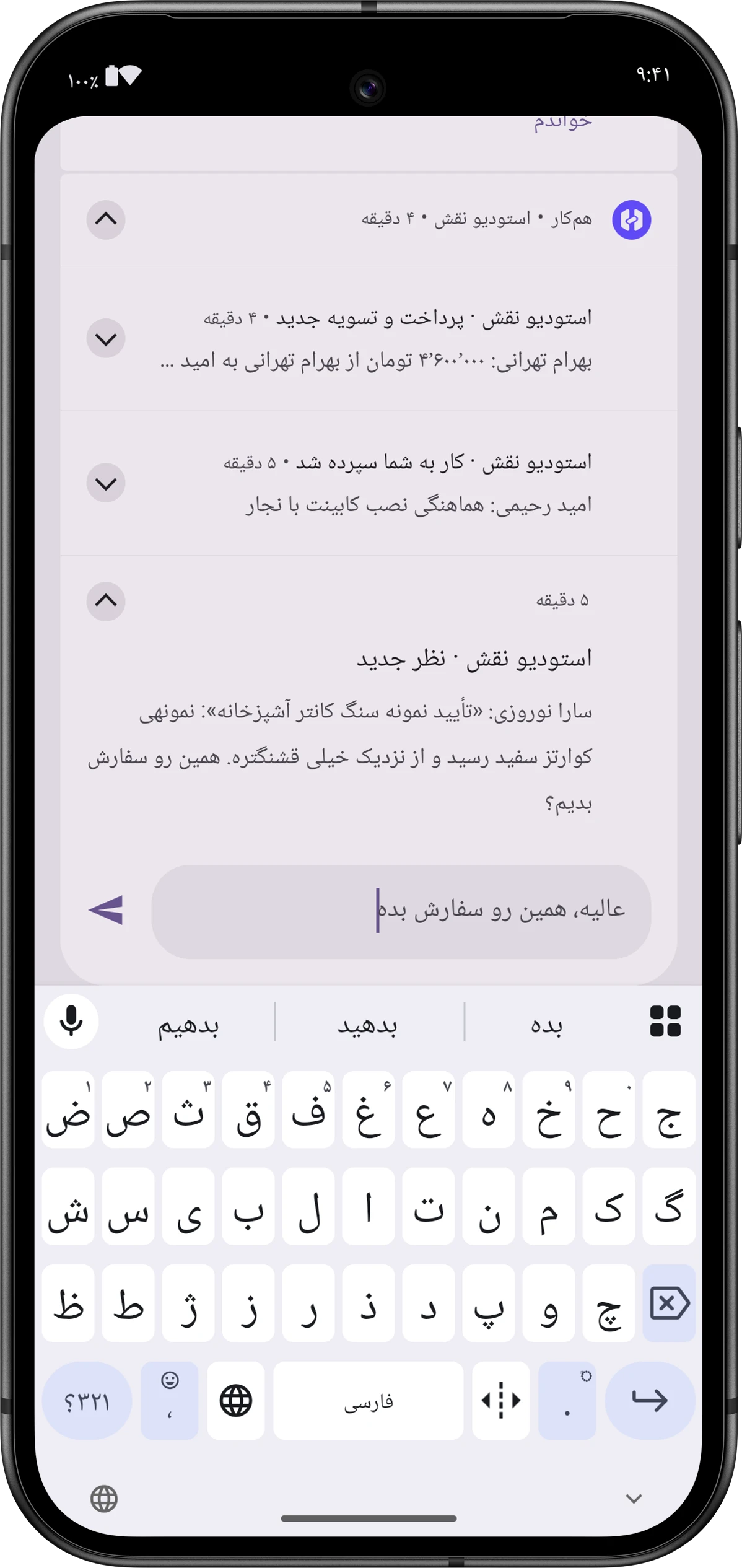
Your reply is posted as a comment on that task and the notification is marked as read. The result shows on the notification itself:
- “Reply sent.” («پاسخ ثبت شد.»), which disappears after a few seconds.
- If it failed: “Reply not sent:” with the reason, or “You’re not connected to the internet; try again.” («به اینترنت وصل نیستید؛ دوباره تلاش کنید.»)
Mark read
Section titled “Mark read”Every notification has a Mark readخواندم button. It removes the notification from the shade and marks it as read in the inbox on all your devices.
Two notification categories
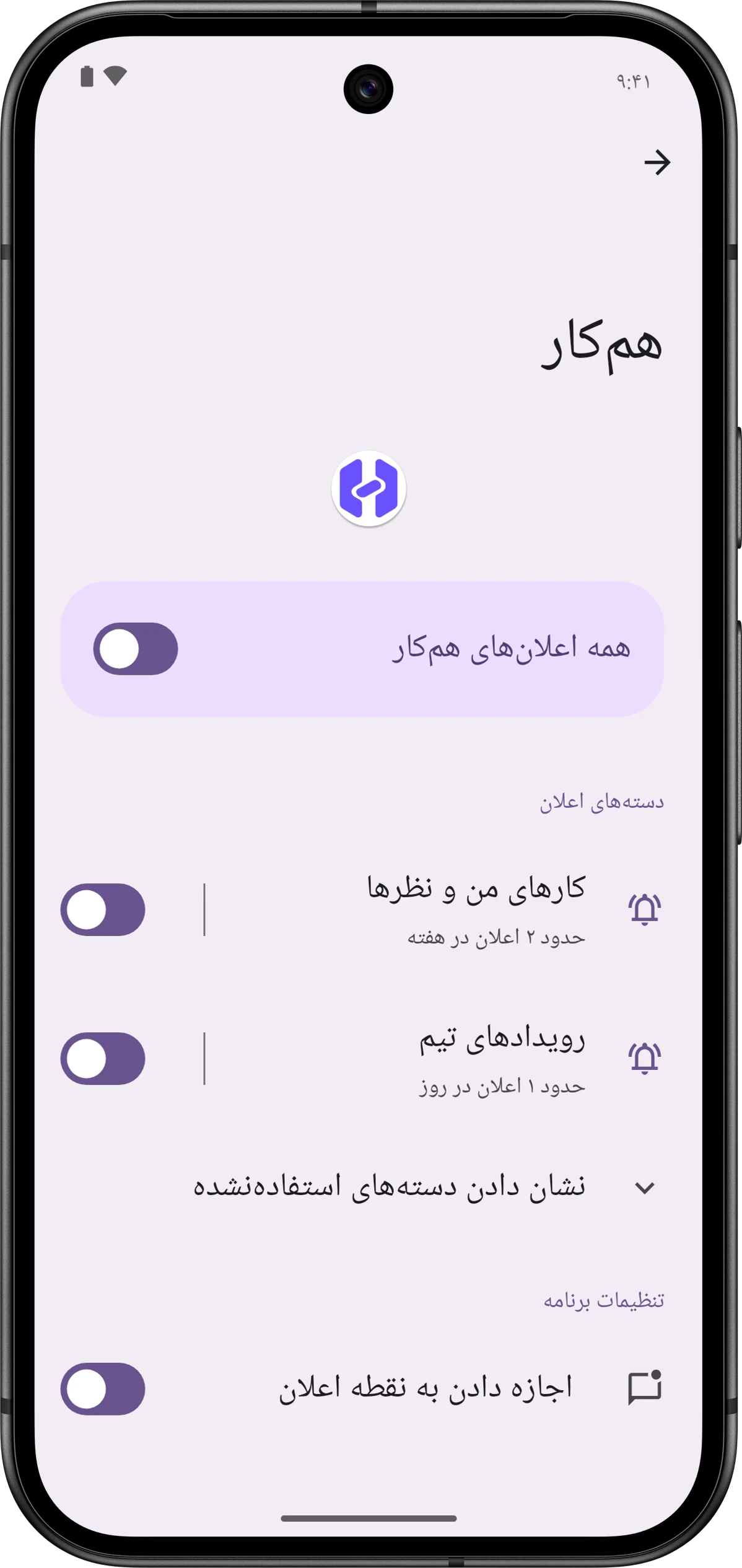
Section titled “Two notification categories”The app shows notifications in two categories (channels) that appear separately in Android’s notification settings:
| Category | Which notifications |
|---|---|
| «کارهای من و نظرها» (My tasks and comments) | Tasks assigned to you and new comments on tasks |
| «رویدادهای تیم» (Team events) | Projects, tasks, expenses, accounts and team members |
Both categories are created at high priority: sound, vibration and a banner. You can tone one down in Android’s settings, for example silence Team events and keep My tasks and comments audible. If either is lowered, the phone check screen warns you.
The 15-minute check
Section titled “The 15-minute check”Alongside instant notifications, the app looks at your notification inbox itself every 15 minutes (whenever the phone is online). If there’s an unread notification that never reached the phone, it shows it. A few details:
- It’s there for phones without Google Play services and for notifications lost on the way.
- Each check shows at most 10 notifications.
- The first check after you sign in only sets a starting point; old notifications aren’t replayed on the phone.
- The app remembers the last 300 notifications it showed, so one that arrives both instantly and through the check is only shown once.
- In heavy battery saving, Android may run the check somewhat later.
Signing out
Section titled “Signing out”When you sign out in the app, the server removes this phone’s registration and the app clears all Hamkar notifications from the shade. Sign in again and the phone is registered within seconds.